


- Home
- Enterprise Solutions
- Platform & Edge
- Security Management SolutionsASIS Technologies designs and manufacture a comprehensive range of software for access control applications. All the software is compatible to ASIS Technologies hardware products. Application with GUI feature to make it much more user-friendly for database setting and viewing report.
- Security Management SolutionsASIS Technologies designs and manufacture a comprehensive range of software for access control applications. All the software is compatible to ASIS Technologies hardware products. Application with GUI feature to make it much more user-friendly for database setting and viewing report.
- Hardwares
- Access ReadersASIS Technologies designs and manufactures a comprehensive range of readers for access control applications. All readers are housed in elegant, industrially designed casings and come with options for keypad, LCD display, SAM (Secured Access Module), Wiegand and RS485 communication interface.
- IP Access ControllersASIS Technologies designs and manufactures a comprehensive range of controllers for access control applications. All controllers act as storage for user data and event transactions. It running either with RS485/TCPIP communication signal.
- CredentialsSmart cards are cards that are embedded with either a microprocessor and a memory chip or only a memory chip with non-programmable logic. The microprocessor card can add, delete, and otherwise manipulate information on the card, while a memory-chip card (for example, pre-paid phone cards) can only undertake a pre-defined operation. Smart cards, unlike magnetic stripe cards, can carry all necessary functions and information on the card. Therefore, they do not require access to remote databases at the time of the transaction. Integrated Circuit (IC) Microprocessor Cards (generally referred to as “chip cards”) offer greater memory storage and security of data than a traditional mag stripe card. Chip cards also can process data on the card.
- Crowd Management EquipmentASIS Technologies have a comprehensive range of turnstiles for access control applications. This including flap barrier, tripod, drop arm, swing door and full height turnstiles.
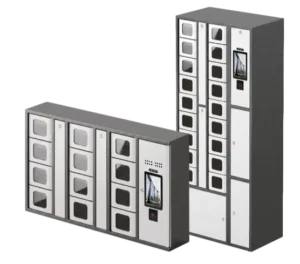
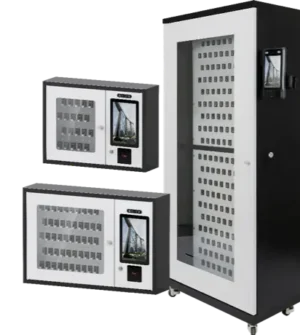
- VEGA Intelligent Key & Locker Cabinet
- Video Surveillance SolutionsASIS Technologies offers a wide range of high-resolution megapixel IP cameras with options from dome, all-in-one (bullet) and PTZ cameras.
- Public Address System
- Access Control AccessoriesIntegration among various subsystems is a hallmark of solutions offered by ASIS Technologies. Our Products are designed with built-in, advanced capabilities to ensure seamless integration between Electronics Access Control, Contact-less Smart card, CCTV Surveillance and Crowd Management systems. With our many years of experience and integration capabilities, our integration solutions make our operating console the master Command & Control Centre for the entire facility/premises.
- Insights
- Partners
- About
 65 6844 2141
